-->
Showing posts with label Photos. Show all posts

15 March 2013

Free Stuff Friday - Kidpix


With two boys who absolutely love drawing I have a never-ending collection of ‘art’ accumulating around my home.  There are piles in cupboards, each year I get a really large art envelope for each for keeping all the art from school, and even stacks next to the TV.  Every now and then I’ll have a clear out and sneak some down to the bin, but that still leaves a mountain of art!

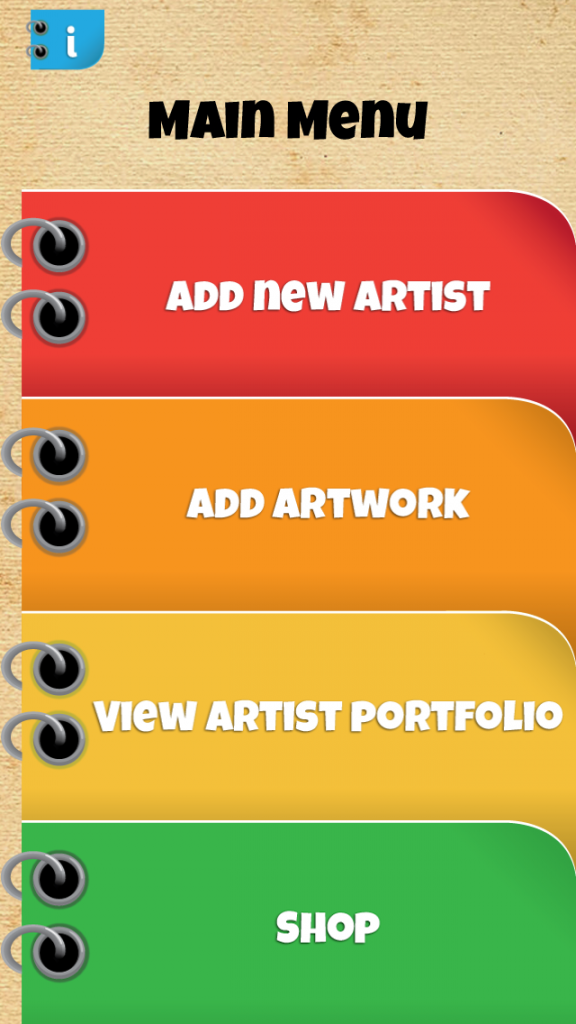
I now have a solution!  Kidpix: Save Your Kid’s Art is a brilliant new app that helps you manage your child’s artwork. 

It’s a free app for your iPad, iPhone and Android phone and tablet and it is so easy to use:


  1. Set up an artist profile for each child.
  2. Add their artwork – you can select it from your camera roll, or take a photo with the camera on your device.
  3. Select a frame – there’s lots of different styles and colours to choose from
  4. Adjust the brightness and rotate the picture if needed
  5. Add a title, date, or notes
  6. Save it to your camera roll, to your Kidpix collections, or to Dropbox


With Kidpix you can view your child’s collections at any time without tripping over them, but you can also share their artwork with friends and family via email, Facebook, Twitter, Flickr, and Tumblr, or, if you've saved them to Dropbox, you could share that Dropbox folder. 


I added all the artwork on the fridge to Kidpix on my iPad, and now I'm going to start on the piles on the floor. 

p.s. while my boys love looking back through their creations, they refused to let me put them on this post.  So the pictures above are not from my artistic boys.

You can get Kidpix from iTunes  and from Google Play 


07 November 2012

Instagram Web Profiles


On Monday Instagram launched a web-based version of its photo-sharing and filtering app with each user having their own web profile.  It's being gradually rolled out to Instagram users and you can see if your profile is live by typing Instagram.com/username

Once it’s up you’ll notice that it’s similar to your Timeline on Facebook.  You’ll see a rotating collage of Instagram photos taking up the top of the screen (like your Timeline cover photo); you can add a small profile shot and personal details and your followers are shown too.  If you click one of your Instagram photos it will appear in full size alongside any likes or comments.


You’ll be able to share your profile with anyone you want to see your Instagram photos; and the web profile will make it easier to follow other users, and comment and like photos.  

If your photos are set to public, anyone will be able to see your Instagram web profile if they know your user name.  Non Instagram users can also view public profiles.  However, if your photos are set to private, your photos will only be visible to logged-in Instagram users that you have allowed to follow you.

If your web profile isn’t up yet you can still log in and update your profile now so it’s all ready for when your web profile goes live over the next week.


If you don't like the idea of your photos being visible to anyone, this article shows you how to change them to private.


21 August 2012

More photo fun with Photofunia

Back in June I posted about the wonderful website Photofunia, and how you can have so much fun with your photos - adding your portraits to billboards, posters, art galleries and all kinds of other amazing backdrops.  If you didn't see that post, take a look here.  If you've had a look at Photofunia before it's worth visiting the site again as they keep adding new effects and scenes.


I've got an update for you - Photofunia is also available on your iPhone, iPad, and Android device.  You have around 200 different scenes you can play around with and add your photos to.  It's not like Instagram where you are adding filters to your photos.  Photofunia adds your photo to their scenes and backdrops - creating a completing different photo. 


You can get the Photofunia app from the iTunes app store or the Google Play store, and it's free.  Beware - it is so addictive - it's hard to leave a photo 'as is' when you can instead integrate it into a billboard, the Mona Lisa, become a Jedi knight, or a superhero, a beauty queen, or a Playboy centrefold!


09 July 2012

Instagram Infographic

I've said before how much I love Infographics.  Sticking with my Instagram theme of the last two posts I went looking for an infographic on Instagram to finish with.  I've added a few to Pinterest, so please go and visit Techie Mum on Pinterest here.  They're on the Techiemum.blogspot board.  I think this one is the most useful....


There'll be some posts about Pinterest coming up in the next week or so.

07 July 2012

More Instagram


After my last post I’ve had some requests for more information about Instagram for those who have never used it.  This is one of the best videos I’ve found; it really explains it step by step.  Even if you’ve been using Instagram for a while you still might find some extra features that you didn’t know about.


Backup your photos


If you’ve been using Instagram for a while you’ve probably got quite a collection of photos stored in the Instagram ‘cloud’.  Not long ago Instagram had a server crash and that could happen again – what if you lost your photos?


Just go to Instaport.me, sign in with your Instagram login and you can download your entire Instagram history as a .zip file.  You then have a copy on your own computer, and you can then back it up as you would your normal photos (and I hope you are backing up your photos!).  There’s some extra download features too – one of them lets you download all the photos you’ve liked over a set period, which means you could take copies of your friends’ best photos too.


Why not try something different with your Instagram photos


Postcards

Send postcards of your Instagram photos from your phone with Postagram.  Just download the app from iTunes or the Google Play store.


Collages

Create a collage for your Facebook cover photo using your Instagram photos with InstaCover.


Magnets

Create magnets from your Instagram photos at www.stickygram.com$14.99 for a pack of 9 magnets, shipped from the UK to anywhere in the world for free. 


T-shirts

Create a t-shirt featuring a mosaic of your favourite Instagram photos at Instamaker. They also do mugs, necklaces, and postcards.


Photobooks and Calendars

At Keepsy you can create photobooks and calendars from your Instagram and Facebook photos.  There’s an iPhone app coming soon, but until then just visit their website.


05 July 2012

Instagram


You may already know this smartphone app.  If not, you may have noticed your friends sharing photos on Facebook that look a whole lot more beautiful than normal photos.  Instagram is a free iPhone and Android app that allows you to take photos, and edit and apply effects and filters to them.  It is essentially a social network for photos; once you've got your edited photo, you can configure your settings to share on Twitter, Facebook, and some other social networks. Or just upload it to your own Instagram stream.  You can follow other users, and like or comment on photos. But you can also keep your account private, and simply email your family the pretty family portraits you've been taking with your phone.


Webstagram


Instagram’s sister site.  While Instagram is fantastic as a mobile phone app, Webstagram is perfect for when you’re on your computer and want to access your Instagram account.  It's basically a broader social networking site that lets you view everything you’ve taken with Instagram, as well as the Instagram photos of people you follow, on your computer.   You can browse pictures, modify or add to your follow lists, like and comment on photos, and even search for any subject you like. You can also use your Instagram photos as you would with other photos on your computer, print them, add them to photo books etc.  You access it on Web.stagram.com and use the same login as for Instagram.  The first time you visit the site, you’ll see Instagram’s login screen.  Enter your username/password and on the next page, click 'YES' to access Webstagram. Once that’s done you can click the login button on the Webstagram page.

Some things you may not know you could do with Instagram:


Play memory games with your Instagram photos - Instamatch


Just download the Instamatch app, sync your Instagram account, and you can choose from 1-4 players, as well as different levels, whether it's easy, normal or hard, with moving pieces! You’ll be offered a couple of playing options using photos with matching themes, eg. cities, or food – but not exactly matching photos; or, with your own photos, you match exact photos that can be refreshed for each game.

Instamatch is available for iPhone and iPad on iTunes, and on Google Play for Android devices.


Edit first, then use Instagram


You don’t have to just rely on Instagram’s filters.  You can use other apps to edit your photos first then add your Instagram filters – try Snapseed or Camera+. 


Use hashtags and @s, just like Twitter


You can use hashtags and @-replies on Instagram, which makes searching for specific topics a whole lot easier. You can also "tag" a person, or get their attention to a specific photo by @-ing their screen name in your post or even in the comments, making the app even more social.


Create a collage


Instead of just one photo, you can create a collage of multiple pics.  You’ll need a different app – for iOS try PicFrame or Photoshake.  For Android – Photoshake. 


Like your favourite photos


You don’t have to find the little heart under your favourite photos to ‘like’ them - just double tap right on the photo, and it’s done.

27 June 2012

The most fun you can ever have with your photos!


This post has just taken longer to create than any other – ever!  All because of what I’m posting about – my whole family has just spent over an hour laughing at this – and my boys had to have turns at it too. 


What am I talking about?  Just the most fun photo effects site you could ever find…  Photofunia


Most photo editing programs and sites allow you to add filters and effects to your photos.  But if you really want to have some fun with your photos you have to see Photofunia.  Choose your profile photo and have some fun:  turn your photo into an art gallery painting, an Andy Warhol artwork, become a tattoo on someone’s arm, a giant photo of you on the side of a building, inserted into a beautiful antique frame, or your head on a celebrity's body.  It’s great fun and really easy to use.


Just make sure you’ve got a nice clear portrait as Photofunia automatically detects the facial features to add to the background.


Turn your children into a Jedi, Iron Man, Superman, or add them to a Harry Potter wanted poster.  Put their faces on stamps, coins, newspapers, Christmas tree decorations, magazine covers, or the side of a car. 


Once you’ve created pictures you’re happy with you can save them to your computer and do with them whatever you like – email them, print them, use your photo editor to add text to them, once they're saved to your computer they are treated the same as any other photo.  They would be great for childrens’ party invitations, Christmas cards, anything.


There are hundreds of different effects – some animated ones too.  If you’re looking for something to keep your kids happy for an hour, or more, on a rainy day – set up a folder on the computer of profile pics of your family or their friends, and let them go wild with this site.   I guarantee lots of laughs!