-->
Showing posts with label Christmas. Show all posts

24 December 2013

Track Santa on Christmas Eve


Since 1955 NORAD (North American Aerospace Defence) has tracked Santa’s route around the world – but it all started by mistake.  North American department store Sears advertised for kids to phone their Santa hotline on Christmas Eve to see where Santa was.  However, the phone number was printed with one incorrect number – and the kids phoned NORAD instead.  Luckily the Colonel on duty was a quick thinker and as the calls started coming in directed his staff to answer the calls with an update on Santa’s current position. 

Every year since NORAD has provided this service, although they have updated the technology from just answering phone calls, and in 1997 NORAD took advantage of the internet for the first time.  Now there are two main websites that can help you find out where Santa is – one based on Google Earth (which used to host NORAD), and NORAD’s own site.  These sites won’t become fully active until later on Christmas Eve, but they are each counting down now, so take a look, choose your favourite and have it book marked, ready for tonight.  Each site also has lots of activities and games, so click around all the images, and explore Santa's village.  

http://www.google.com/santatracker/#/village
Click on the arrows to the right and left to move through the village, and click on the tear drop images to go to different games.


http://www.noradsanta.org/
Click on the large arrows at the bottom right of the screen to visit Santa's village where you can play music and games and read all about Santa and Christmas traditions.


There is also the free NORAD Tracks Santa app for iOS and Android


MERRY CHRISTMAS !

23 December 2013

Last minute techie christmas gift solutions

It’s two days until Christmas!  If you’re stuck for gift ideas, or you've just run out of time to shop, I have just the techie solution for you.

There are techie gift cards available for just about everyone.  You can choose a gift card that specifically suits the interests of the recipient – and you can find all these gift cards at most supermarkets, as well as some department stores, and specialist electronic and office supplies stores.
 

iTunes and Google Play cards

$20, $30 or $50
You’ll need to know whether your recipient has an Apple or Android device before you buy one of these cards.  They can be used to purchase anything (apps, music, movies, books) from the Apple App Store and iTunes, or from Google’s Play Store.
Perfect gift for:  Anyone


Facebook Cards

Use to purchase in-game/app content in participating Facebook games and apps
$15 or $25
Perfect gift for:  Anyone with a Facebook account


PlayStation Network Card

$20 or $70
Add credits to a PlayStation Network wallet, or purchase content on any PlayStation platform.
Perfect gift for:  Playstation players of any age


Xbox

$15, $25, $50
Can be used to purchase content via Xbox 360 or Xbox One consoles.
Perfect gift for:  Any Xbox players


Nintendo eShop card

$15 or $30 cards can be used to top up Wii points, Nintendo DS points for Nintendo eShop accounts. 
Perfect gift for:  Any Nintendo players


Games

If you choose to buy gift cards for a specific game you really should make sure that it is either a game they play in the case of a gift card that can be used for in-game purchases; or a game they don’t have but would like to play in the case of a gift card that is used for a game membership or download.


National Geographic Animal Jam

$15.95 for a three month membership
Perfect gift for:  Young children


League of Legends 

A $10 gift card gives 1380 Riot Points, or $25 for 3500 Riot Points
Perfect gift for:  older teenagers and young adults


Moshi Monsters

$6.95 for one month membership, or $24.95 for six months membership
Perfect gift for:  Young children


Runescape

$25 or $40 gift cards can be used to pay for game membership, RuneCoin and Spin packages.
Perfect gift for:  Teenagers and young adults (minimum age 13)


Minecraft Gift Card

$25
Allows you to buy the Minecraft software, and download by redeeming the code on the card
Perfect gift for:  from 7 up


Club Penguin 

For $34.95 you get a six month membership to this children’s’ favourite.
Perfect gift for:  Young children – up to 12


There’s one more option for last minute gifts – give them an app


You can buy an iPhone, iPad, or iPod Touch app from the App Store and send it as a gift. Open the App Store app on your own device; touch and locate the app you want to gift and tap it.  Next tap the Share button – that’s the box with an  arrow pointing upwards – then tap the Gift option.

Enter your friend’s email address, type a gift message, and select the day you want to send them the gift on. Tap the Next button and confirm your Apple ID password to buy the app.

Unfortunately you can’t gift an app through Google, so your best option for Google users is a Google Play gift card.


17 December 2013

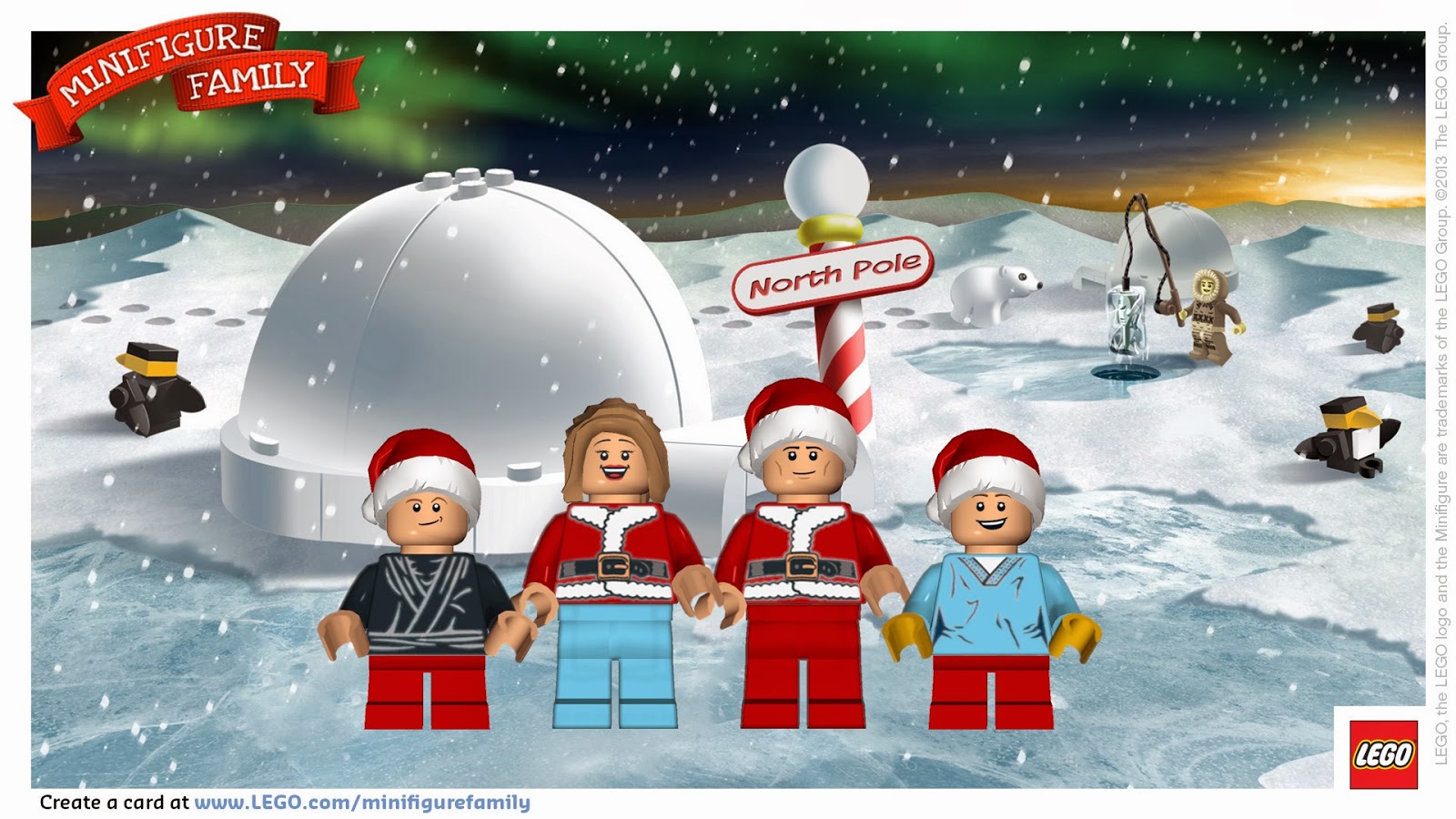
Turn your family into Lego minifigures


With the school holidays here I’ll be featuring some techie sites and apps to keep your children occupied and yet in the Christmas spirit over the next week. 

Today send them over to the US Lego site and have them turn your family into Lego minifigures!  It only takes a few minutes – actually it will probably take your children a bit longer; they’ll want to choose the ‘right’ outfit!

Click here to get started


1.  Add the members of your family, including pets
2.  Name and customise each – with different skin tones, facial expressions, hair and hats, and choose their outfit
3.  Choose your background
4.  Add your personalised message
5.  You can choose to hide your names if you prefer, and you don’t have to have a greeting.
6.  Download or email your minifigure picture, you can also create a link to it for sharing.

This would be great for your children to email Christmas greetings to their friends, or just for playing around creating pictures.

Here's our family


Have fun, and if you or your children do create a minifigure picture, link to it in a comment on the Techie Mum Facebook page.


10 December 2013

Combat Creatures Toy Review


How would you like a giant spider crawling around your house shooting poisonous darts at anyone who got in its way?  OK, maybe not poisonous darts!  If your kids like Nerf gun battles they are going to love this new toy.

Combat Creatures Attacknids are the winner of the Australian Toy Association's Best Boys Toy of the year for 2013 and my sons were lucky enough to be given one to play with and try out.  

These remote controlled six-legged robot spiders stand 25 cm tall and are available in three different designs.  Each robot comes with its own weapon system and ammunition, but they are interchangeable between each.  The blue Stryder that my boys had comes with Snypa Dart Blasters (just like Nerf darts), while red Doom Razor and Attacknid have Dissector Disc Blasters.


When we first unpacked Stryder I was thinking – great, I’ll be the one controlling this thing, it’s going to take ages for the boys to figure it out!  I couldn't have been more wrong.  The control pad is very easy to use – especially if your child has used a game pad before. 

All we had to do to set it up after unpacking was to put its armour on the legs and attach the weapon system – a few quick clicks and it was done.  By the time I’d picked up the packaging the boys had it going.  First target was their father who was asleep on a lounge in the next room.  The boys had no trouble manoeuvring around furniture and other obstacles to position it for attack.  They were able to control the Combat Creature from quite a distance away so it could all be done out of sight.   Once in position the dart blaster was rotated and angled into position from the remote control, and then a press on the fire button started the darts firing.  The rain of darts on his head and body definitely woke their victim. 

The boys then decided they needed more room, so Stryder went out into the back yard.  No terrain is a problem, they had it moving easily on floor boards inside, wooden decking outside, concrete pavers, and dirt and grass.  The only time it struggled was up a hill in the back yard – but they just put it into reverse and tried a different route.  The battle of the backyard then commenced.  They took turns controlling Stryder, while the other attacked it with an array of Nerf guns.  The aim is to hit the Attacknid’s leg armour, which pops off easily when hit, or the Battle Brain target, and after three direct hits the Battle Brain shuts down – no arguments over whether it was hit or not.  The darts can shoot up to 10 metres, although they have more force if aimed at a target about five metres away.  My boys got so good at aiming that the trampoline became the fort to get away from Stryder’s attack.

If you had two Combat Creatures you could have a great battle attacking each other, but even with just one (and some Nerf guns) my sons had a great time.  For playing on their own, or as a target shooting competition there’s also a Battle Diorama that comes in the box with 5 targets. 

Each Combat Creature comes with colour co-ordinated leg armour and stickers that you can use to personalise your robot.  You can also buy extra ammunition so you never run out, and alternative ammunition if you feel like a change.

Best age for a Combat Creature?  From 6 years up - this is the kind of toy that any age will have fun with.  My sons' 30 year old cousin was very keen for a go too!

My sons’ verdict on Combat Creatures…

Aaron (12) – The Combat Creature is a lot of fun and very enjoyable.  It is great fun to play with and the controls are very simple to use.  Although it has its disadvantages: the controls may be easy but they can be a bit slow to react.  It is loud which can give away its location.  Also, it’s hard to shoot a moving object, such as a person.  It is more fun when you are shooting at the creature than when you are controlling it.  Though, overall, it is a very fun toy and even with its price it is a great experience to play, to have fun with and can be a toy that you enjoy for a long time.


Danny (9) – It’s very fun to play with.  I couldn't coax any more details than that – except that he wants one for Christmas!

Combat Creatures are available now in most toy stores and I've seen them on special in some – Target had them at $99 last week - normally $139.    Don’t forget to buy batteries too – 4 x AAs for the Combat Creature, and 2 x AAs for the remote control.


Take a look at the our short video in the backyard here and the Combat Creatures video here


Disclosure:  I was sent a Combat Creature for my sons to play with and review.  All views stated are my own and my sons.  


03 December 2013

Send a letter to Santa


Do your children write a letter to Santa?  My boys started with writing a note that they gave to Santa when we had photos taken with Santa each year.  Then the shopping centre where we had the photos taken installed a big letter box behind Santa’s throne, so their letters were popped in there.  Two years ago the letter box disappeared, so that year they posted them in the real post box at the post office.  They got the surprise of their lives when they received a postcard back from Santa (lucky I’d put our return address on the back of their envelopes!)


If your children would like to send a letter to Santa there are a few websites that can help with this – especially now that Santa seems to be getting used to technology…..


A letter 4 Santa

A letter 4 Santa has a fill-in-the-box message that you can send to Santa and receive an immediate response.  This site also has Santa’s colouring book, Santa games, questions for Santa, and lots more fun for kids. 


Santa's Little Elves

At Santa’s Little Elves you can order a personalised letter from Santa to your child for $12 (includes postage within Australia) – final orders are taken on 8 December as the letters are posted on 10 December.  You can also order Santa’s official nice list certificates and you can customise with a special achievement or good deed when you order.  .50c from each letter goes to Cystic Fibrosis QLD.


Australia Post

Australia Post gives you two different ways to write to Santa.  First you can do it the traditional way – write a paper letter, address the envelope to Santa – North Pole 9999, add a 60c stamp - make sure your address is on the back - and post it at any street post box or post office in Australia.  In return your child will receive a post card from Santa.  If you visit the Australian Post website (link below) you’ll find eight different Christmas themed paper templates you can print out for your child to write on.

The slightly more techie method is to use Australia Post’s online interactive letter writing system – you get the same result except that you can type your message and select the stationery you want to use, and there are suggestions of what to write to Santa.  You just print it out at the end and address the envelope as normal.  The website also features puzzles, activities and online games.


Saint Nick

At Saint Nick you can create a fill-in-the-boxes online letter to Santa, including a list of what they would like for Christmas; and your child will receive a personal email back from Santa.  http://www.saintnick.org/html/letters.html


North Pole.com

North Pole.com is an entire Christmas experience where your child can select different buildings in the North Pole, and see what happens in that building - play some games in the elf’s clubhouse, view Mrs Claus’s cook book and recipes in the kitchen, play some music or check out the reviews of Christmas movies in Santa’s den, try some Christmas craft and educational activities in the Elf Pal Academy or head to the Mailroom to send a letter to Santa.  You could spend hours on this site.  http://www.northpole.com/mailroom/


Portable North Pole

Portable North Pole is a little different to the other sites.  Instead of receiving a written letter or email from Santa, you get a personalised video message instead.  You just select who Santa will be addressing (nice, naught/nice or naught child or adult), complete the profile of the recipient, including confirming the correct pronunciation of their name, and your message is created.  It’s free, although you can add premium features, like extra pictures and an extra long video from $3.99.  Create your account and once your video has been created you can access it on the site.  I’d suggest creating a test message first so you can check what the best entries/responses are going to be for your child’s message.   http://www.portablenorthpole.com/home


Let me know if you use any of these, or if you've tried any other sites.  


25 November 2013

Christmas Cards - Techie Alternatives


Every November I plan to write out all my Christmas cards and post them off to all my relatives and friends so they receive them early in December.  That’s the plan!  However, the reality is I usually get around to it in the second week of December and then usually in batches a few days apart.  I hate it when I haven’t sent my cards and I start receiving them.  Every year it gets later and later – or should I say, harder and harder to write out all those cards!


One of my cousins has emailed all her usual Christmas card recipients to tell them they will not be receiving cards this year – instead they are donating to the Philippines Typhoon appeal in the names of all those who they normally send cards to, and they have requested that we don’t send them cards too.  I like the sound of that. 

I have noticed that more Christmas cards are arriving in my inbox instead of my letterbox, so I thought I might investigate some alternatives this year too.  So, here’s what my research has produced – my favourite techie alternatives to the traditional Christmas card…..


Farm Africa 

Farm Africa is a charity working directly with farmers to pioneer techniques to boost harvests and reduce poverty. Send an e-card and each one you send will help African farmers provide for their families.  Just create an account, select your card, buy credits, personalise you card with a message and send it to one person or your entire email address book.  You can send from one card (GBP1), up to 50 cards (GBP20).


Red Stamp

Red Stamp allows you to create modern cards, notes, announcements and invitations for any occasion from your iPad, iPhone or iPod Touch.  There are 600+ designs to choose from, each with multiple colour schemes, and you’ll never be stuck for what to say with prompts written by etiquette experts.  Many of the designs will allow you to upload a photo from your camera roll or take a picture and add it from within the app.  Once you’ve created your card you can email it, save it to your Camera Roll, text it, share it on Facebook or Tweet it.  The basic version is free, with in-app purchases for premium features.


Appygraph eCards

Another free iOS app, with over 100 designs and regular new additions, you can add photos directly from your camera roll, personalise with your message, then email, save to your camera roll, or share via AirDrop, Facebook or Twitter. 


Greeting Card Maker

This great app is for iOS and Android phones and tablets.  You can create a custom card - Select your background, choose from over 500 images and clips, or draw your own, choose your font and font colour for your message, and you’re done. Or you can choose a readymade card.  Your card can be emailed, saved, or shared via Facebook, Twitter, and Google+.  It’s free, but with in-app purchase of add-on card packs.
Available at the Play Store or App Store 


Touchnote – Christmas Edition 

If you’d like to send real Christmas cards this is the app for you.  Use your own photos to create beautiful Christmas postcards or greeting cards.  Christmas postcards can be sent almost anywhere in the world (Christmas deadline for most is 17 December) for $1.49 or less.  The post cards are printed and sent from the USA, Australia, UK and Germany.  You can send Christmas cards too, but they are printed and sent from the UK, so they take a lot longer to arrive (deadline 3 December) for $2.28 or less.
You can also use Touchnote on your computer – www.touchnote.com
Free for Android from the Play Store and iOS from the App Store


Jacquie Lawson e-cards 


This is what I've decided to go with.  For an annual fee of AUD12 I can send unlimited animated e-cards throughout the year, and they really are beautiful.  There are cards for every occasion and the hardest part will be choosing which one.  You can even create an address book so all your email addresses are stored for birthdays, anniversaries etc. 


Especially for Christmas they have a gorgeous animated Edwardian advent calendar.  This isn't an e-card, but a software download and every day from 1st to 25th December a new animated story or interactive game becomes available to view.  The advent calendar is free for you with the normal subscription – but you can also give it as a gift for $2 each for 10 or more copies.  I think that would make a beautiful gift that I think would more than makeup for not getting an actual Christmas card.  Take a look at the advent calendar here.

Do you still send real Christmas cards?  If you don't what do you use?


14 November 2013

An Android 'iPod'


I first posted this in December 2012, but it is still such a great idea that it deserves a second run..... with a little updating.  


My youngest son has asked for an iPod Touch for Christmas.  I know quite a few of his friends have them and I don’t really have a problem with him having one, except for the price.  Close to $300 is a bit much when he won't be happy if that’s the only present he gets, and I don’t want Santa getting the credit for giving him his favourite present!

So, I came up with a solution which will make us both happy.  I bought a new Android smart phone with a prepaid account on the same network that I use.  I didn't activate the phone and I didn't need to use the SIM card that came with it.  I just inserted the SIM from my phone, which worked immediately, to set up the phone and link to my Google Play account.  Once that was set up I removed the SIM.  With the phone connected to our home Wi-Fi I downloaded the games my son wants (Angry Birds Star Wars, Bad Piggies etc) from Google Play.  New games can be added whenever we like, but I still have control over what is downloaded because I have to enter my Google password as authorisation.


I had already downloaded the music my son wanted to my computer (I use Bandit.fm for music), so I connected the phone via USB to my computer and transferred the music to his new phone. 

Now my son will get what he wants for Christmas at a fraction of the cost of an iPod.  I paid $79 ($50 off the normal price) for a new Android 4.0 smart phone with a 3.5 inch screen, FM radio, MP3 player and as many games as he wants.  Without the SIM card it cannot be used as a phone and the only internet connection is at home when it can connect to our Wi-Fi (although I'm not going to let him know that).  Of course, when my son needs a phone in the next year or two I just need a new prepaid SIM card – he already has the phone.

If you’re upgrading your phone, your old phone can be a great boredom buster for your child – just download their favourite games and music - no SIM card required.  However, depending on the phone brand, if you don’t have access to Wi-Fi you’ll need to leave the SIM in the phone while you download the games so you can use Bluetooth to connect to Google Play.  Once the games are downloaded you can remove the SIM card. 

Unlike iPhones, you can buy Android phones with older versions of the Android operating system.  Make sure you buy one with Android 4.0 and higher, otherwise you'll find that a lot of games won't be able to run on the phone.  

Also, buy the highest capacity micro-SD card you can get, that way you can move the games over to the SD card and off the phone - Android phones are notorious for their lack of internal storage.

07 November 2013

The perfect 'first' keyboard


Here’s the perfect first keyboard for young children. 


The Jenkins Junior Early Learning keyboard is a standard QWERTY keyboard but with some added features to help young children become familiar with a keyboard. 

The keys are grouped by colour to differentiate the different parts of the keyboard and get them used to where the keys are located.  For example, all the numbers, both along the top of the keyboard and on the numeric keypad are red.


The vowels and consonants are different colours to help them find the letter they’re after.

The keyboard also features nine smaller hot keys along the top of the keyboard to enable multimedia controls and internet navigation. 

It is compatible with Windows XP, Vista and 7, and Mac OS X 10.5 or later, connecting via a USB port.

THE PRICE?

All Officeworks stores in Australia are currently selling this keyboard for $7   
There is only limited stock and you’ll find it in the clearance boxes near the registers.  It isn’t available through Officeworks online, only in store.  My local Officeworks – Mona Vale NSW - had about 20 yesterday morning.


If you'd like your child to learn how to type, I recommend BBC Dance Mat Typing - you can read my review here


04 November 2013

Eve's Power Bank


Today is the start of my 2013 Christmas Techie Gift Guide.  Twice each week until Christmas I will be reviewing and writing about products that I consider would make good Christmas presents - with a techie flavour.


Eve's Power Bank

Our smartphones and tablets have now eliminated so many other things that used to fill up our handbags – notepad, diary, address book, camera, MP3 player, books; and we rely on them for so many tasks – our phones are no longer just for making calls and sending texts.  There is one glitch in our reliance on our mobile devices – battery power.  If we forget to charge them occasionally we can be ‘stranded’ – out of touch & out of reach.  Even if you do remember to plug it in to charge; have you ever left the house without your phone because you forgot it was plugged in charging?   I do it all the time, I mean – I DID it all the time – but not anymore.  Look what now lives in my handbag! 

This is an Eve’s Power Bank – how cute is it? 


Eve’s Power Bank is a portable charger for your smartphone, tablet and most other mobile devices.  It has its own internal battery that can be drawn from to top up the power in your devices. 

The Power Bank can be charged up by plugging it into mains power using its cable connected to the USB port on a power plug (from one of my phones’ charging cables), or you can charge it by connecting it to a USB port on your computer.  Once it’s charged, pop it into your bag and you’re ready for the next time the battery in your devices gets a bit low.

Eve’s Power Bank comes beautifully packaged in a little box, which includes a collection of 10 swappable connector tips for just about everything you could possibly want to charge.  However, if there happens to be a device that there isn't a connector for, you can just use the cable that came with that device to connect it to the USB port on your Power Bank. 


To charge your devices you just connect it to your Power Bank and press down on the leaf on top to turn it on.  Then you’ll see what I think is one of the best features of this device – four lights indicate how much charge is left. 

Along the bottom edge, you’ll find three ports – one normal USB, one micro-USB and a special USB port for iPads.  Having more than one port means that you can charge more than one device at the same time.  With a full charge, my Eve’s Power Bank fully charged my LG phone, and my son’s completely flat Huawei at the same time, and there was still enough charge to top up my husband’s Samsung phone.  That was with the standard 3200 mAh capacity Power Bank, but if you carry a lot of devices, you might prefer the high capacity 6400 mAh. 

Eve’s Power Bank is very light, only 90 grams, and compact – just the right size to not get lost in your bag.  It also comes in six gorgeous colours – hot pink, pink, apple green, lime, sky blue and pearl white.  The higher capacity Power Bank is slightly heavier and a little thicker.


I've lost track of the number of times my little apple has come to my (and my family’s) rescue over the last few weeks.  No more hoping a phone will last until it can be plugged in – you’re not restricted to a mains power for charging when you have a Power Bank.  My sons are always using my iPad, which means I usually grab it on the way out the door and find that the power is about to run out.  Now I can just leave it connected to my Power Bank in my bag and give it a power top up.

Eve’s Power Bank is from Roaming Connections; an Australian owned and operated company who source stylish, practical and innovative technology solutions, including the largest range of power banks in Australia.  You can buy your Eve’s Power Bank from their website for $44.95 for the standard 3200 mAh, or $69.95 for the higher capacity 6400 mAh.  

This would be a great Christmas presents for anyone who uses mobile devices – so, ANYONE!

If you run a business, this could also be a great idea for a corporate gift – they can be personalised with your business logo, and it only takes about four weeks for custom printing, so there’s still plenty of time before Christmas.


A GIVEAWAY


Roaming Connections have very kindly provided an Eve’s Power Bank for one of you to win.  To enter you just have to 
  • Like the Roaming Connections Facebook Page here 
  • Like Techie Mum on Facebook if you don’t already
  • Tell me, in the comments on the blog, which Techie related gift you would like to receive for Christmas


In addition to the prize, Roaming Connections would also like to offer my readers a very special deal.  Just use the promo code TECHIEMUM and you will receive a free iPhone5 to USB cable with any purchase from the Roaming Connections website.  Just click on the link below to be taken straight to the site and see the range


Disclosure: 

Roaming Connections provided me with one Eve’s Power Bank that I could trial and review, and one as a giveaway for my readers.   I will never promote a product on Techie Mum that I don’t really like.


Giveaway Terms & Conditions

  • This competition is a game of chance.
  • Submit your entry in a comment at the bottom of this post.  You don’t need a Google account.  Just sign in as anonymous and leave your email address.
  • Like Techie Mum on Facebook here – if you don’t already.
  • Like Roaming Connections on Facebook here
  • This competition is open to Australian Residents only.  
  • The competition is open for six days – from Monday 4 November 2013 to Saturday 9 November 2013. 
  • The winner will be randomly chosen from those who have entered on Sunday 10 November 2013.
  • The winner will be announced on Monday 11 November on the Techie Mum blog, Facebook page, and Twitter. 
  • The winner will be contacted via the email address provided.  The winner has four days to reply; otherwise the prize will be redrawn.

This giveaway has now closed and a winner has been selected.  Make sure you follow Techie Mum on Facebook so you don't miss any future giveaways.